

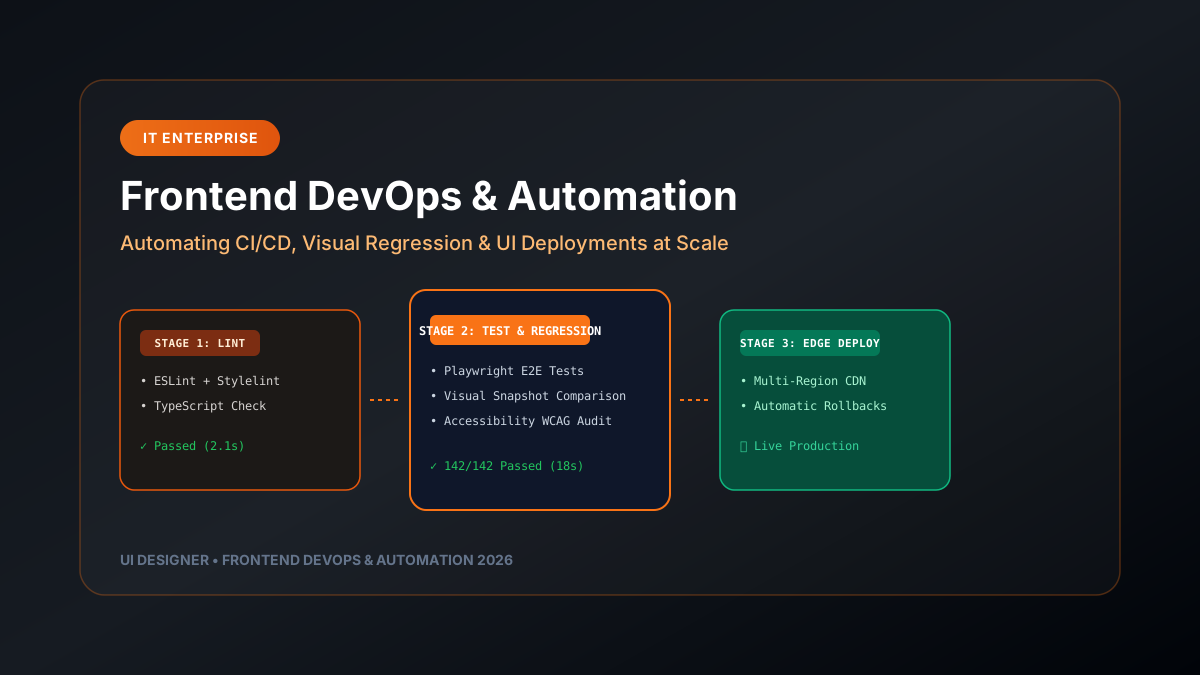
As engineering teams scale, managing web frontend releases manually becomes a major bottleneck. Frontend DevOps and Platform Engineering apply continuous integration, automated visual testing, performance budgeting, and infrastructure-as-code principles directly to client UI codebases.
---
1. The Anatomy of a Modern Frontend CI/CD Pipeline
┌─────────────────────────────────────────────────────────────────────────────┐
│                    ENTERPRISE FRONTEND CI/CD PIPELINE                       │
├─────────────────────────────────────────────────────────────────────────────┤
│                                                                             │
│  STAGE 1: CODE QUALITY AUDITS ─────► ESLint + Stylelint + TypeScript        │
│  STAGE 2: AUTOMATED TESTING ───────► Vitest Unit + Playwright E2E           │
│  STAGE 3: VISUAL REGRESSION ───────► Visual Snapshot Comparison (Percy)     │
│  STAGE 4: ACCESSIBILITY & PERFORMANCE► Axe-core WCAG Audit + Lighthouse CI   │
│  STAGE 5: ATOMIC DEPLOYMENT ───────► Multi-Region Global Edge CDN Deployment│
│                                                                             │
└─────────────────────────────────────────────────────────────────────────────┘
---
2. Automated Visual Regression Testing
Code reviews catch functional bugs, but they rarely catch broken CSS layouts or unintended visual regressions across different browser viewports. testing-strategies-2026" class="internal-link">Visual regression testing captures screenshots of component stories during CI runs and compares them against baseline snapshots.
Playwright Visual Comparison Spec:
import { test, expect } from '@playwright/test';test('Product Dashboard card layout matches visual snapshot', async ({ page }) => { await page.goto('http://localhost:3000/dashboard');
// Wait for loading skeletons to resolve await page.waitForSelector('.dashboard-card');
// Compare page screenshot against stored visual baseline await expect(page).toHaveScreenshot('dashboard-baseline.png', { maxDiffPixelRatio: 0.01 // Fail CI build if visual difference exceeds 1% }); });
---
3. Performance Budget Guardrails in CI Pipelines
Enforce strict JavaScript bundle size limits and Lighthouse performance scores to prevent developers from merging heavy third-party npm packages.
Example `.lighthouserc.json`:
{
  "ci": {
    "collect": {
      "numberOfRuns": 3,
      "startServerCommand": "npm run start"
    },
    "assert": {
      "assertions": {
        "categories:performance": ["error", { "minScore": 0.95 }],
        "categories:accessibility": ["error", { "minScore": 0.98 }],
        "first-contentful-paint": ["error", { "maxNumericValue": 1000 }],
        "interactive": ["error", { "maxNumericValue": 2500 }]
      }
    },
    "upload": {
      "target": "temporary-public-storage"
    }
  }
}
---
4. Atomic Deployments & Instant Rollbacks
- **Preview Deployments for Pull Requests**: Every Git branch automatically generates a unique preview URL (e.g., `feature-branch.ui-designer.preview.app`) for designer and product manager QA review before merging.
- **Atomic CDN Swaps**: Production deployments switch DNS routing rules instantaneously upon health-check pass. If an error is detected in production, rolling back to the previous stable release takes under 5 seconds.
Automating frontend DevOps workflows allows product teams to ship high-quality features rapidly without fear of regressions.