

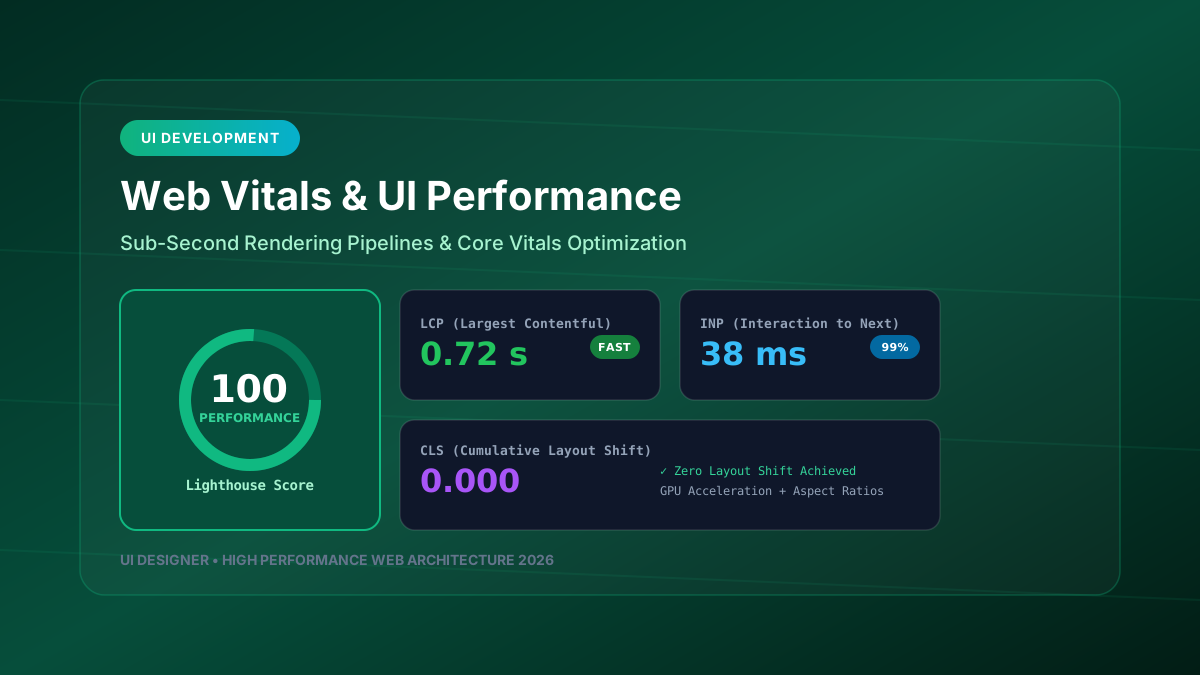
In modern web engineering, application performance is not a secondary technical task—it is a foundational pillar of user experience design. A web application with a stunning design that takes 4 seconds to become interactive will lose users to faster competitors. Optimizing for Core Web Vitals ensures sub-second rendering and instant interaction response times.
---
1. Demystifying the Core Web Vitals Metrics
┌─────────────────────────────────────────────────────────────────────────────┐
│                        CORE WEB VITALS BENCHMARKS                           │
├─────────────────────────────────────────────────────────────────────────────┤
│                                                                             │
│  1. LARGEST CONTENTFUL PAINT (LCP) ──► Target: < 1.2 seconds               │
│     Measures when the main visual content renders on screen.                │
│                                                                             │
│  2. INTERACTION TO NEXT PAINT (INP) ─► Target: < 50 milliseconds            │
│     Measures latency of user taps, clicks, and keyboard inputs.             │
│                                                                             │
│  3. CUMULATIVE LAYOUT SHIFT (CLS) ───► Target: < 0.05                       │
│     Measures visual stability and unexpected layout shifts.                 │
│                                                                             │
└─────────────────────────────────────────────────────────────────────────────┘
---
2. Engineering Strategies for Sub-Second LCP
- **Preload Critical Hero Assets**: Declare high-priority fonts and LCP images inside the `<head>` tag.
<link rel="preload" href="/images/hero-banner.webp" as="image" type="image/webp" fetchpriority="high">- **Modern Next-Gen Image Formats**: Convert PNGs and JPEGs to AVIF or WebP with explicit width and height attributes to reserve layout space.
- **Server-Side Streaming (SSR)**: Stream HTML response chunks directly to the browser as database queries complete.
---
3. Eliminating INP Latency & Main Thread Blocking
Heavy JavaScript execution blocks the browser's single main thread, causing user clicks to feel sluggish.
- **Web Workers**: Move non-UI data processing (e.g., parsing large JSON payloads, calculating chart metrics) off the main UI thread.
  // worker.ts
  self.onmessage = (e) => {
    const sortedData = heavySortAlgorithm(e.data);
    self.postMessage(sortedData);
};- **Yielding to the Main Thread**: Break long-running JavaScript loops using `requestIdleCallback` or `setTimeout(..., 0)`.
---
4. Achieving Zero Cumulative Layout Shift (CLS)
Visual layout shifts frustrate users when elements jump unexpectedly while they try to click a button.
- **Reserve Aspect Ratios**: Use CSS `aspect-ratio` or skeleton placeholders for dynamic media cards and ad containers.
  .image-skeleton-container {
    width: 100%;
    aspect-ratio: 16 / 9;
    background-color: #1e293b;
}- **Avoid Injecting Un-sized Top Banners**: Dynamically injected alert banners should overlay or reserve container height in advance.
---
5. GPU-Accelerated 60fps/120fps Animations
Always stick to CSS properties that bypass layout recalculation and paint phases:
/* Performant (Triggers only Composite phase) */
.fast-card {
  transform: translate3d(0, -4px, 0);
  opacity: 0.95;
  will-change: transform;
}
/* Avoid (Triggers Layout & Paint recalculated phases) */ .slow-card { top: -4px; /* Triggers reflow! */ width: 102%; /* Triggers layout shift! */ }
By enforcing strict performance budgets in your CI/CD pipelines, you ensure that every feature release maintains a 100/100 Lighthouse performance rating.