

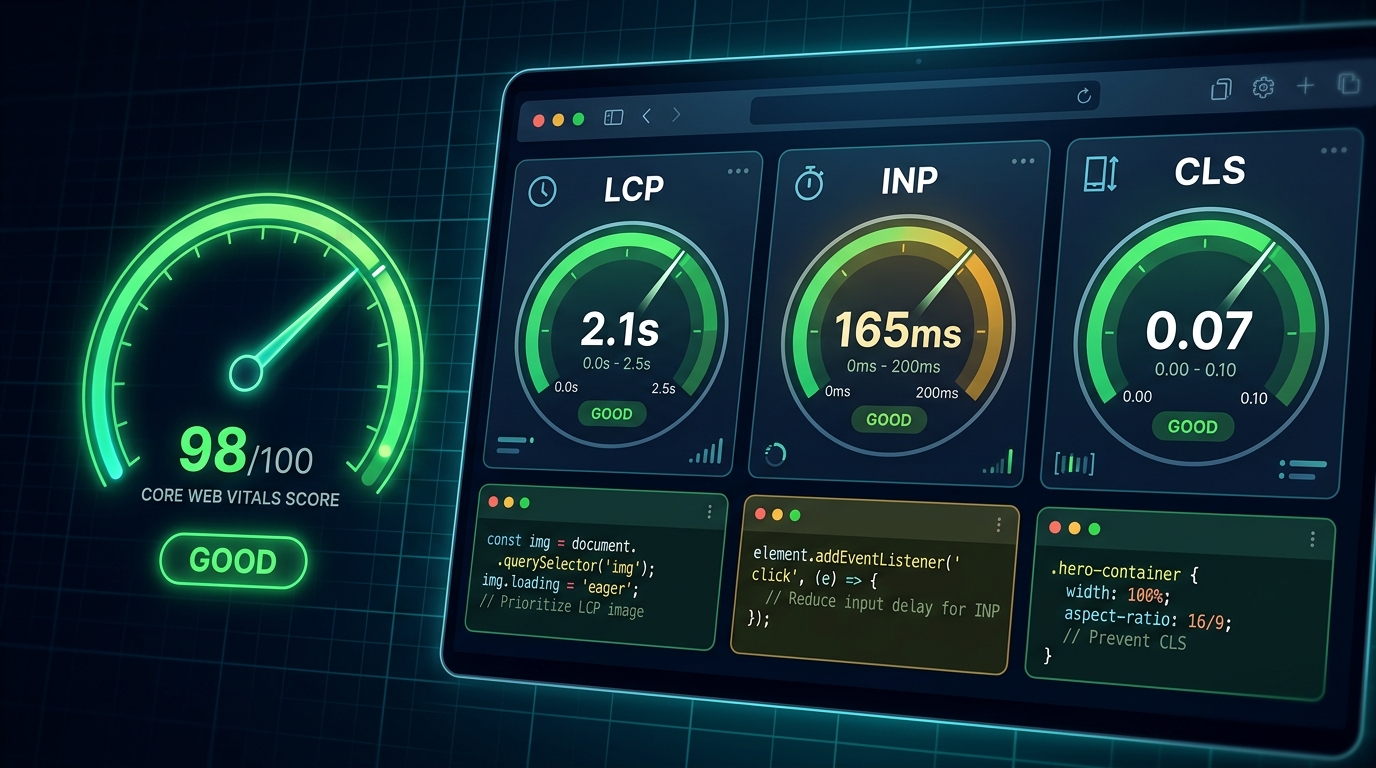
Core Web Vitals are no longer "nice to have" — they're a confirmed Google ranking factor, a user experience baseline, and a direct revenue lever. Sites that meet the thresholds rank higher, convert better, and retain more users. Sites that don't bleed traffic and money daily.
This is the practical optimization guide we use at UI Designer. No theory. Just the techniques that move the needles on LCP, INP, and CLS — with code examples you can copy.
The 2026 Targets (Field Data, 75th Percentile)
| Metric | Good | Needs Improvement | Poor | What It Measures | |--------|------|-------------------|------|------------------| | **LCP** (Largest Contentful Paint) | ≤2.5s | 2.5–4.0s | >4.0s | Loading: when main content visible | | **INP** (Interaction to Next Paint) | ≤200ms | 200–500ms | >500ms | Responsiveness: all interactions | | **CLS** (Cumulative Layout Shift) | ≤0.1 | 0.1–0.25 | >0.25 | Visual stability: unexpected movement |
**Critical:** These are **field metrics** (real users, CrUX), not lab metrics (Lighthouse). Lab guides optimization; field determines ranking.
---
LCP Optimization: Make the Hero Visible Fast
1. Identify Your LCP Element
// In DevTools Performance tab or via web-vitals library
import { onLCP } from 'web-vitals';
onLCP(console.log); // Logs { name: 'LCP', value: 2340, entries: [...] }
**Typical LCP candidates:** Hero image, H1 text, large background image, video poster.
2. Preload the LCP Resource
<!-- In <head>, before any stylesheets -->
<link rel="preload" as="image" href="/hero-image.webp" fetchpriority="high">
<link rel="preload" as="font" href="/fonts/inter-var.woff2" type="font/woff2" crossorigin>- `fetchpriority="high"` tells browser: *this is the most important resource*
- Preload **one** image (the LCP candidate), not all hero images
- Preload critical font (the one used in H1)
3. Optimize the LCP Image
<!-- Next.js Image component (handles all of this) -->
<Image
  src="/hero-image.webp"
  alt="Hero description"
  width={1920}
  height={1080}
  priority
  sizes="(max-width: 768px) 100vw, (max-width: 1200px) 50vw, 33vw"
  placeholder="blur"
  blurDataURL="data:image/webp;base64,..."
/>
**Manual implementation:**
<picture>
  <source srcset="/hero-400.avif" media="(max-width: 480px)" type="image/avif">
  <source srcset="/hero-800.avif" media="(max-width: 800px)" type="image/avif">
  <source srcset="/hero-1200.avif" media="(max-width: 1200px)" type="image/avif">
  <source srcset="/hero-1920.avif" type="image/avif">
  <source srcset="/hero-400.webp" media="(max-width: 480px)" type="image/webp">
  <source srcset="/hero-800.webp" media="(max-width: 800px)" type="image/webp">
  <source srcset="/hero-1200.webp" media="(max-width: 1200px)" type="image/webp">
  <img
    src="/hero-1920.webp"
    alt="Hero description"
    width="1920"
    height="1080"
    loading="eager"
    fetchpriority="high"
    decoding="async"
    style="aspect-ratio: 1920/1080;"
  >
</picture>
**Must-haves:**
- `width`/`height` — prevents CLS, enables aspect-ratio
- `loading="eager"` + `fetchpriority="high"` — LCP image loads first
- AVIF/WebP with JPEG fallback — 30–50% smaller
- `sizes` attribute — browser picks right source
- Blur placeholder — perceived performance
4. Eliminate Render-Blocking Resources
<!-- ❌ Bad: Blocks parsing -->
<link rel="stylesheet" href="/styles.css">
<script src="/analytics.js"></script>
5. Reduce Server Response Time (TTFB)
- **Target:** <800ms (Google), <200ms (ideal)
- **Edge rendering:** Next.js/Nuxt/Astro on Vercel/Netlify/Cloudflare Workers
- **Caching:** `Cache-Control: public, max-age=31536000, immutable` for static assets
- **HTML caching:** Stale-while-revalidate for dynamic pages
Cache-Control: public, max-age=0, s-maxage=300, stale-while-revalidate=600- **Database:** Connection pooling, read replicas, query optimization
- **CDN:** Cloudflare, CloudFront, Vercel Edge — serve from nearest PoP
6. Font Optimization (Often Overlooked)
/* 1. Subset fonts (Latin only = ~15KB vs 150KB full) */
@font-face {
  font-family: 'Inter';
  src: url('/fonts/inter-latin.woff2') format('woff2');
  font-display: swap; /* Critical: shows fallback immediately */
  font-weight: 100 900;
  font-stretch: 75% 125%;
}
/* 2. Preload critical font */
/* 3. Fallback font matching (reduces CLS from font swap) */ @font-face { font-family: 'Inter-fallback'; src: local('Arial'); size-adjust: 100.06%; ascent-override: 90%; descent-override: 20%; line-gap-override: 0%; } body { font-family: 'Inter', 'Inter-fallback', system-ui, sans-serif; }
**Tools:** `fonttools` (pyftsubset), `wakefont` (fallback metrics), Font Squirrel Webfont Generator.7. LCP Quick Wins Checklist
- [ ] LCP element identified and measured
- [ ] LCP image preloaded with `fetchpriority="high"`
- [ ] LCP image: AVIF/WebP, responsive, explicit dimensions, eager load
- [ ] Critical CSS inlined, non-critical deferred
- [ ] Critical font preloaded, `font-display: swap`, subset
- [ ] TTFB <800ms (edge hosting, caching, optimized DB)
- [ ] No render-blocking third-party scripts above fold
- [ ] Hero video? Use poster image as LCP, lazy-load video
---
INP Optimization: Make Every Interaction Instant
INP measures **all** interactions (click, tap, keypress) and reports the **worst** (98th percentile). One slow interaction kills your score.
1. Measure INP in the Field
import { onINP } from 'web-vitals';
onINP(({ name, value, entries }) => {
  console.log('INP:', value, 'ms', entries);
  // Send to analytics: GA4, custom endpoint
});
2. Break Up Long Tasks (The #1 INP Killer)
Any JS task >50ms blocks the main thread. Break it up:
// ❌ Bad: Single 500ms task
function processLargeDataset(data) {
  return data.map(expensiveTransform).filter(complexFilter);
}
// ✅ Good: Yield to main thread async function processLargeDataset(data) { const results = []; for (const item of data) { results.push(expensiveTransform(item)); if (results.length % 100 === 0) { await scheduler.yield(); // Yields to browser, continues next frame } } return results.filter(complexFilter); }
**Yielding strategies:**
- `scheduler.yield()` (modern, best) — yields to scheduler priority
- `setTimeout(() => {}, 0)` — yields to next macrotask
- `requestIdleCallback` — yields when browser idle (low priority)
- `isInputPending()` — check if user input waiting
3. Defer Non-Critical JavaScript
<!-- Load after page interactive -->
<script defer src="/heavy-library.js"></script>
const HeavyChart = dynamic(() => import('./HeavyChart'), { ssr: false });
4. Minimize Main Thread Work
| Technique | Impact | |-----------|--------| | **Code splitting** (route-level + component-level) | Reduces initial JS | | **Tree shaking** (ESM, sideEffects: false) | Removes unused code | | **Replace heavy libs** (moment → date-fns, lodash → es-toolkit) | 80%+ size reduction | | **Web Workers** for heavy computation | Off main thread | | **CSS over JS animations** (Framer Motion → CSS) | Compositor thread | | **Virtualize lists** (react-window, @tanstack/virtual) | Render only visible |
5. Optimize Event Handlers
// ❌ Bad: New function every render, inline work
<button onClick={() => { expensiveCalculation(); setState(x); }}>
// ✅ Good: Memoized, minimal work in handler const handleClick = useCallback(() => { // Defer expensive work scheduler.yield().then(() => expensiveCalculation()); setState(x); }, [x]);
// ✅ Better: Optimistic UI const handleClick = useCallback(() => { setStateOptimistic(x); // Instant feedback queueMicrotask(() => expensiveCalculation()); }, [x]);
6. Third-Party Script Audit
// Audit script impact
// Chrome DevTools → Performance → Record → Interact → Bottom-up → Group by "Script"
**Action items:**
- Remove unused scripts
- Self-host (Google Fonts, jQuery, analytics)
- Load async/defer
- Use `partytown` to run in Web Worker
- Replace with lighter alternatives (GA4 → Plausible/Matomo/Umami)
7. INP Quick Wins Checklist
- [ ] INP measured in field (web-vitals library + analytics)
- [ ] No tasks >50ms on main thread (Performance profiler)
- [ ] Heavy computation in Web Workers or yielded with `scheduler.yield()`
- [ ] Non-critical JS deferred or loaded on interaction
- [ ] Bundle size <100KB gzipped (route-level code splitting)
- [ ] Heavy dependencies replaced (moment, lodash, heavy UI libs)
- [ ] Third-party scripts audited, deferred, or moved to worker
- [ ] Event handlers minimal, optimistic UI for perceived speed
---
CLS Optimization: Stop the Layout Jumps
CLS measures **unexpected** layout shift. Expected shifts (user clicks accordion → expands) don't count. Unexpected shifts (image loads → pushes content down) do.
1. Always Reserve Space for Media
/* Aspect ratio box — works for images, videos, iframes */
.aspect-ratio-box {
  position: relative;
  width: 100%;
  aspect-ratio: 16 / 9; /* or 4/3, 1/1, etc. */
  overflow: hidden;
}
.aspect-ratio-box > img, .aspect-ratio-box > video, .aspect-ratio-box > iframe { position: absolute; inset: 0; width: 100%; height: 100%; object-fit: cover; }
<!-- ✅ Explicit dimensions + aspect-ratio -->
<img
  src="/product.jpg"
  alt="Product"
  width="800"
  height="600"
  style="aspect-ratio: 800/600;"
  loading="lazy"
/>

2. Font Loading Without Shift
/* 1. size-adjust fallback (best) */
@font-face {
  font-family: 'CustomFont-fallback';
  src: local('Arial');
  size-adjust: 102.5%; /* Adjust to match custom font */
  ascent-override: 88%;
  descent-override: 22%;
}
/* 2. Or: font-size-adjust (newer, simpler) */ body { font-family: 'CustomFont', system-ui; font-size-adjust: 0.5; /* x-height ratio */ }
/* 3. Preload + font-display: swap (minimum) */
3. Reserve Space for Dynamic Content
/* Ads, embeds, comments, cookie banner */
.ad-slot {
  min-height: 250px; /* Reserve space */
  aspect-ratio: 4/1; /* Or fixed */
}
.cookie-banner { /* Fixed position doesn't cause CLS */ position: fixed; bottom: 0; left: 0; right: 0; }
4. Avoid Inserting Content Above Existing Content
// ❌ Bad: Prepends to list → shifts everything down
function addNotification(message) {
  list.prepend(createNotification(message));
}
// ✅ Good: Append, or use fixed container function addNotification(message) { list.append(createNotification(message)); }
// ✅ Good: Fixed toast container
5. Transform Animations (Not Layout)
/* ❌ Causes layout shift */
.menu-open .sidebar { width: 280px; }
.menu-closed .sidebar { width: 0; }
/* ✅ No layout shift — transform only */ .sidebar { transform: translateX(-100%); transition: transform 0.3s ease; } .menu-open .sidebar { transform: translateX(0); }
/* ✅ Height animation without shift */ .accordion-content { overflow: hidden; transition: height 0.3s ease; } /* Use grid-template-rows: 0fr → 1fr for smooth height */ .accordion-content { grid-template-rows: 0fr; transition: grid-template-rows 0.3s ease; } .accordion-content.open { grid-template-rows: 1fr; }
6. CLS Quick Wins Checklist
- [ ] All images/videos/iframes have explicit `width`/`height` or `aspect-ratio`
- [ ] Font fallback metrics configured (`size-adjust`, `ascent-override`)
- [ ] Critical fonts preloaded
- [ ] Dynamic content (ads, embeds) has reserved space (`min-height`, `aspect-ratio`)
- [ ] No content inserted above existing content without reservation
- [ ] Animations use `transform`/`opacity` — not `width`/`height`/`top`/`left`
- [ ] Cookie banners, toasts, modals use fixed/sticky positioning
- [ ] `loading="lazy"` only on below-fold images (never LCP)
---
Measurement & Monitoring Strategy
1. Lab Testing (Every PR)
# Lighthouse CI config
ci:
  collect:
    numberOfRuns: 3
    settings:
      preset: 'desktop' # and mobile
      budget:
size: 500 # KB
size: 100 # KB
- resource: 'total'
- resource: 'script'
**Gates:** Performance ≥90, LCP <2.5s (lab), CLS <0.1, TBT <200ms.2. Field Monitoring (Production)
// web-vitals library — send to your analytics
import { onCLS, onINP, onLCP, onTTFB } from 'web-vitals';
function sendToAnalytics(metric) { fetch('/api/vitals', { method: 'POST', body: JSON.stringify(metric), keepalive: true }); }
onCLS(sendToAnalytics); onINP(sendToAnalytics); onLCP(sendToAnalytics); onTTFB(sendToAnalytics);
**Dashboards:** GA4 (Core Web Vitals report), Search Console (Core Web Vitals), custom (Grafana, Datadog, Vercel Analytics).
3. CrUX API (Real User Data)
# Check your origin's field data
curl "https://chromeuxreport.googleapis.com/v1/records:queryRecord?key=YOUR_KEY" \
  -d '{"origin": "https://yoursite.com"}'
4. Regression Alerting
- **Threshold:** Any metric degrades >10% week-over-week
- **Alert:** Slack/email to team
- **Action:** Bisect deploy, revert or fix
---
Framework-Specific Guides
Next.js (App Router)
// next.config.js
module.exports = {
  images: {
    formats: ['image/avif', 'image/webp'],
    deviceSizes: [320, 420, 768, 1024, 1280, 1536],
    imageSizes: [16, 32, 48, 64, 96, 128, 256, 384],
  },
  experimental: {
    optimizeCss: true, // Critters CSS optimization
  },
};
// Use: next/font for automatic font optimization import { Inter } from 'next/font/google'; const inter = Inter({ subsets: ['latin'], display: 'swap', variable: '--font-inter' });
Astro
// astro.config.mjs
export default defineConfig({
  image: { service: { entrypoint: 'astro/assets/services/sharp' } },
  compressHTML: true,
  prefetch: { prefetchAll: true },
});
// Use:
WordPress
- **Plugin:** Perfmatters (disable unused features), WP Rocket (caching), Imagify (images)
- **Theme:** Block theme (Twenty Twenty-Four) or headless
- **Hosting:** Kinsta, WP Engine, Cloudways (Redis, CDN, edge)
---
The Optimization Workflow (Monthly)
| Week | Activity | |------|----------| | 1 | Run Lighthouse CI on all templates → fix regressions | | 2 | Analyze CrUX + RUM data → identify worst pages | | 3 | Deep-dive 3 worst pages → profile, optimize, verify | | 4 | Third-party audit → remove/defer/replace | | Ongoing | Monitor field data, alert on regression |
---
Common Myths Debunked
| Myth | Reality | |------|---------| | "Lighthouse score = ranking" | Lighthouse is lab; ranking uses field (CrUX) | | "CLS only matters for images" | Fonts, ads, dynamic content, animations all contribute | | "INP only matters for first interaction" | INP = worst interaction across entire session | | "Preload everything" | Preload only LCP-critical resources; too many hurts | | "AMP required for good CWV" | AMP not required; modern frameworks achieve better | | "Good CWV once = done" | Continuous regression; monitor monthly |
---
The Business Impact (Real Data)
| Improvement | Typical Result | |-------------|----------------| | LCP 4s → 2s | +15–25% conversion, +10–15% organic traffic | | INP 500ms → 150ms | +10–20% engagement, -20% rage clicks | | CLS 0.3 → 0.05 | -30% accidental clicks, +5–10% form completion | | All three "Good" | Ranking boost for competitive queries |
**Case Study: E-commerce Client**
- *Before:* LCP 4.2s, INP 480ms, CLS 0.28
- *After:* LCP 1.8s, INP 120ms, CLS 0.03
- *Result:* +32% mobile revenue, +18% organic sessions, 40% faster checkout completion
---
Your 30-Day CWV Sprint
**Week 1:** Audit — Measure field data (CrUX + RUM), run Lighthouse on top 10 pages, identify LCP element per page.
**Week 2:** LCP — Preload LCP resources, optimize images, inline critical CSS, reduce TTFB, optimize fonts.
**Week 3:** INP — Profile long tasks, yield with `scheduler.yield()`, defer non-critical JS, audit third-parties.
**Week 4:** CLS — Add dimensions to all media, configure font fallbacks, reserve space for dynamic content, fix transform animations.
**Ongoing:** Monitor, alert, repeat.
---
Get Your Core Web Vitals Audited
We run a **Core Web Vitals Deep Dive** — field data analysis, lab profiling, waterfall review, and a prioritized optimization roadmap with expected impact estimates.
Book a free 30-minute performance consultation: ui-designer.in/cwv-audit
Frequently Asked Questions
Frequently Asked Questions
- What is the difference between lab data and field data for Core Web Vitals?
- Lab data (Lighthouse) is synthetic, run in a controlled environment. Field data (CrUX) comes from real Chrome users. Google uses field data (75th percentile over 28 days) for ranking. Optimize in lab, verify in field.
Frequently Asked Questions
- My Lighthouse score is 95 but Search Console shows "Poor" CWV. Why?
- Lighthouse tests a single page load in ideal conditions. Field data aggregates real user experiences across devices, networks, and geographies. A few slow users on mobile 3G can drag down your 75th percentile.
Frequently Asked Questions
- How do I find which element is my LCP?
- Open DevTools → Performance → Record page load → Look for "Largest Contentful Paint" marker. Or use `web-vitals` library: `onLCP(console.log)` — it logs the element selector.
Frequently Asked Questions
- Does INP replace FID completely?
- Yes. INP (Interaction to Next Paint) replaced FID (First Input Delay) in March 2024. INP measures all interactions across the session lifetime, not just the first. It's a stricter, more representative metric.
Frequently Asked Questions
- Can third-party scripts ruin my Core Web Vitals?
- Yes. Analytics, chat widgets, ads, and social embeds add main-thread work and can block rendering. Audit with Lighthouse "Third-party code" section. Defer, self-host, or move to a web worker (Partytown).
Frequently Asked Questions
- What's the fastest way to improve CLS?
- Add `width`/`height` or `aspect-ratio` to all images, videos, and iframes. Reserve space for ads/embeds with `min-height`. Use `font-display: swap` with `size-adjust` fallbacks. Avoid inserting content above the fold.
Frequently Asked Questions
- How often should I check Core Web Vitals?
- Weekly for lab data (Lighthouse CI in PR pipeline). Monthly for field data (Search Console Core Web Vitals report, CrUX API). Set up alerts for >10% regression week-over-week.