

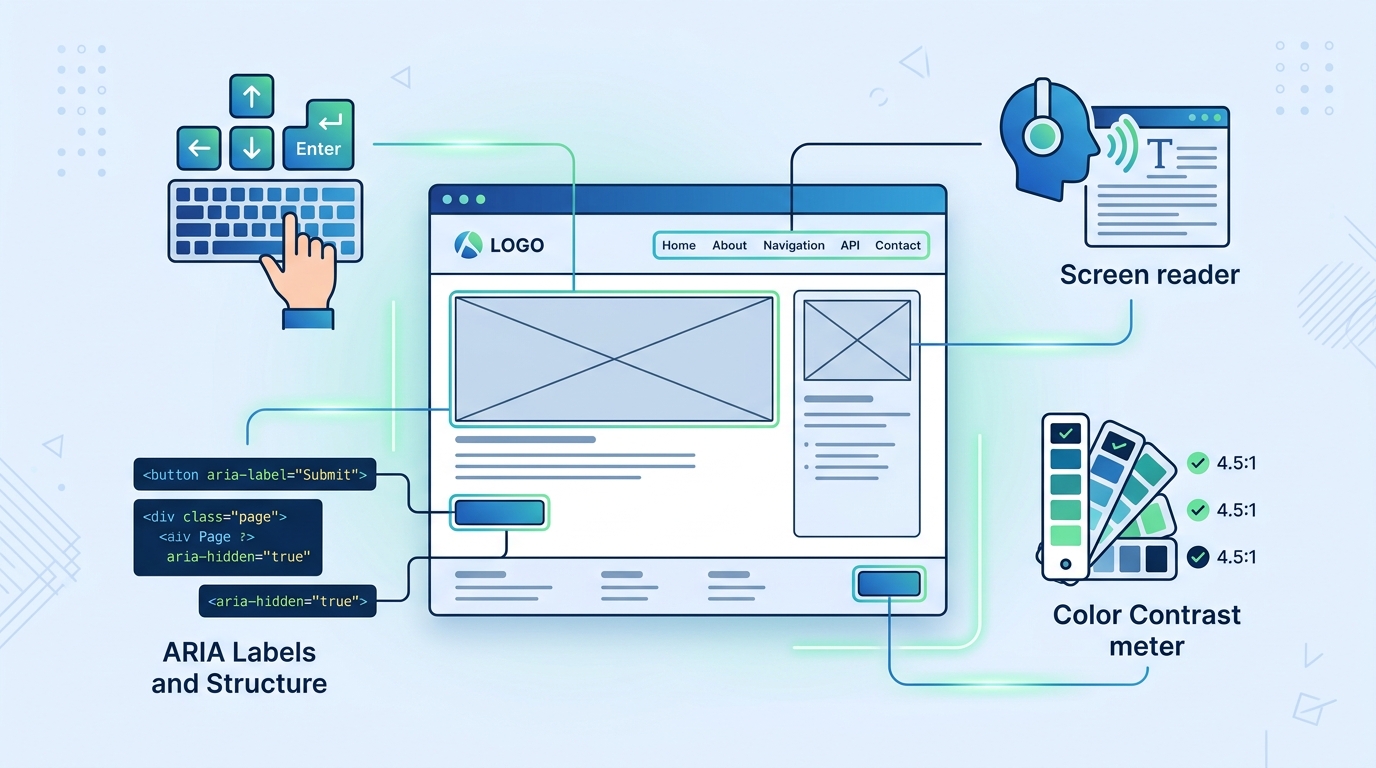
Web wcag-2026" class="internal-link">accessibility is not a feature. It's a civil right, a legal requirement, and a quality standard that separates professional work from amateur hour. In 2026, with the European wcag-2026" class="internal-link">Accessibility Act enforcement, India's RPWD Act amendments, and rising ADA lawsuits globally, inaccessible websites aren't just bad practice — they're business risk.
This is the practical WCAG 2.2 Level AA checklist we use at UI Designer for every project. It's organized by implementation phase, not abstract principles, so you can actually use it.
The Legal Landscape in 2026
| Regulation | Scope | Deadline | Penalty | |------------|-------|----------|---------| | **EAA (EU)** | All digital products/services sold in EU | June 28, 2025 | Fines up to €3M or 5% turnover | | **RPWD Act (India)** | Government + private sector websites | Ongoing enforcement | Up to ₹5L, imprisonment for repeated violation | | **ADA Title III (US)** | Places of public accommodation (websites included) | Ongoing | $75K first violation, $150K subsequent | | **UK Equality Act** | Service providers | Ongoing | Unlimited compensation | | **WCAG 2.2** | International standard (released Oct 2023) | Reference standard | Basis for all above |
**WCAG 2.2 Level AA = 55 success criteria. This checklist covers all of them in plain language.**
---
Phase 1: Foundation (Do Before Writing Code)
1.1 Define Accessibility Requirements
- [ ] Accessibility statement published with conformance claim (WCAG 2.2 AA), feedback mechanism, known limitations
- [ ] Accessibility included in Definition of Done for every ticket
- [ ] Budget allocated for accessibility testing (automated + manual + user testing)
- [ ] Team trained on WCAG 2.2 AA basics (4-hour minimum)
1.2 Choose Accessible Tech Stack
- [ ] Framework supports server-side rendering (Next.js, Nuxt, Astro, Remix) — critical for screen readers
- [ ] Component library has accessibility baked in (Radix UI, Headless UI, Chakra UI, shadcn/ui) — not "we'll add ARIA later"
- [ ] Design system includes accessible color palette (4.5:1 text, 3:1 UI), focus styles, motion reduction
- [ ] CSS methodology supports logical properties (margin-inline-start vs margin-left) for RTL
1.3 Set Up Automated Testing Pipeline
# CI Pipeline Gates- npm run lint:a11y # eslint-plugin-jsx-a11y
- npm run test:a11y # axe-core in unit tests
- npm run lighthouse:ci # Lighthouse CI (a11y ≥ 95)
- npm run test:e2e:a11y # Playwright + axe-core on critical paths
---
Phase 2: Semantic HTML & Structure (The 80% Solution)
2.1 Document Structure
- [ ] **One `<h1>` per page** — matches page title, describes primary content
- [ ] **Heading hierarchy never skips levels** — h1 → h2 → h3 → h2 → h3 (not h1 → h3)
- [ ] **Landmarks present**: `<header>`, `<nav>`, `<main>`, `<aside>`, `<footer>` — exactly one `<main>`
- [ ] **Sectioning elements**: `<section>`, `<article>`, `<nav>`, `<aside>` with `aria-labelledby` or `<h2>` child
- [ ] **Language declared**: `<html lang="en">` (or appropriate), `lang` on sections with different language
2.2 Navigation
- [ ] **Skip link** as first focusable element: `<a href="#main" class="skip-link">Skip to main content</a>` — visible on focus
- [ ] **Primary nav**: `<nav aria-label="Primary">` with `<ul>` + `<li>` + `<a>` — not `<div>` soup
- [ ] **Breadcrumbs**: `<nav aria-label="Breadcrumb">` + `<ol>` + `aria-current="page"` on current
- [ ] **Pagination**: `<nav aria-label="Pagination">` + `<ul>` + `aria-current="page"` + `rel="prev/next"`
2.3 Content Structure
- [ ] **Lists**: `<ul>`/`<ol>` for grouped items — never `<div>` with bullets via CSS
- [ ] **Tables**: `<table>` + `<thead>`/`<tbody>` + `<th scope="col|row">` + `<caption>` — only for tabular data
- [ ] **Figures**: `<figure>` + `<figcaption>` for images with captions
- [ ] **Blockquotes**: `<blockquote>` + `<cite>` for quotations
- [ ] **Time**: `<time datetime="2026-03-15">March 15, 2026</time>` for dates
---
Phase 3: Interactive Elements (Where Most Failures Live)
3.1 Buttons & Links — The Golden Rule
**Buttons do things. Links go places. Never swap them.**
- [ ] **Buttons**: `<button type="button">` for actions (submit, open modal, toggle, delete)
- [ ] **Links**: `<a href="...">` for navigation (URL change, anchor, external)
- [ ] **No `<div onclick>`**, `<span role="button">`, `<a href="#">` with JS preventDefault
- [ ] **Disabled state**: `disabled` attribute (not `aria-disabled` alone) — removes from tab order
- [ ] **Loading state**: `aria-busy="true"` + `aria-live="polite"` announcement + spinner with `aria-hidden="true"`
3.2 Focus Management
- [ ] **Visible focus indicator** on *every* interactive element: `outline: 3px solid var(--focus-color); outline-offset: 2px;`
- [ ] **Focus order** matches visual order (DOM order = visual order)
- [ ] **Focus trapping** in modals, drawers, dropdowns — Tab cycles within, Escape closes
- [ ] **Focus restoration** on close — return to trigger element
- [ ] **No focus loss** on route change (SPA) — focus `<main>` or first heading
- [ ] **Skip links** work and are visible on focus
3.3 Forms — The Conversion Killers
- [ ] **Every input has a `<label>`** — explicit (`for`/`id`) or implicit (wrapping)
- [ ] **Required fields**: `required` attribute + `aria-required="true"` + visual indicator (asterisk + "Required")
- [ ] **Error handling**: `aria-invalid="true"` + `aria-describedby="error-id"` + error message in `<p id="error-id" role="alert">`
- [ ] **Error summary** at top of form on submit: "3 errors found" with links to fields
- [ ] **Inline validation** on blur (not on input) — announce success/error via `aria-live="polite"`
- [ ] **Autocomplete attributes**: `autocomplete="name"`, `email`, `tel`, `street-address`, `postal-code`, `cc-number`, etc.
- [ ] **Input purpose**: `type="email"`, `tel`, `url`, `date`, `password`, `search` — triggers correct keyboard
- [ ] **Grouped fields**: `<fieldset>` + `<legend>` for radio groups, checkboxes, related inputs
- [ ] **Custom selects/date pickers**: Use native `<select>` / `<input type="date">` — or accessible library (Radix, Headless UI)
- [ ] **CAPTCHA alternative**: honeypot, Cloudflare Turnstile, reCAPTCHA v3 (invisible) — not image puzzle
3.4 Complex Widgets (Use Libraries, Don't Build)
| Widget | Accessible Library | Key Requirements | |--------|-------------------|------------------| | Modal/Dialog | Radix Dialog, cms-comparison-wordpress-sanity-strapi-2026" class="internal-link">Headless UI Dialog | Focus trap, Escape closes, aria-modal, backdrop | | Dropdown/Select | Radix Select, cms-comparison-wordpress-sanity-strapi-2026" class="internal-link">Headless UI Listbox | wcag-2026" class="internal-link">accessibility-checklist-wcag-2026" class="internal-link">Keyboard navigation, type-ahead, announced | | Tabs | Radix Tabs, cms-comparison-wordpress-sanity-strapi-2026" class="internal-link">Headless UI Tabs | `role="tablist"`, `aria-selected`, arrow keys | | Accordion | Radix Accordion, cms-comparison-wordpress-sanity-strapi-2026" class="internal-link">Headless UI Accordion | `aria-expanded`, `aria-controls`, space/enter | | Tooltip | Radix Tooltip, Floating UI | `role="tooltip"`, hover+focus, delay, dismiss | | Toast/Alert | Radix Toast, Sonner | `role="status"`/`alert`, `aria-live`, auto-dismiss pause on hover | | Carousel | Embla Carousel (with a11y plugin) | `aria-roledescription="slide"`, pause on hover, keyboard | | Table (sortable/filterable) | TanStack Table + a11y | Column headers `aria-sort`, keyboard sort |
---
Phase 4: Media & Non-Text Content
4.1 Images
- [ ] **Informative images**: `alt="concise description of content/function"` — not "image of", not filename
- [ ] **Decorative images**: `alt=""` (empty) — CSS backgrounds preferred
- [ ] **Complex images** (charts, diagrams): `alt="summary"` + `<figcaption>` or linked long description
- [ ] **Icon fonts**: `aria-hidden="true"` on icon + visible text or `aria-label` on parent button/link
- [ ] **SVG icons**: `<svg aria-hidden="true" focusable="false">` (prevents double-announcement in some readers)
- [ ] **Responsive images**: `<picture>` + `<source type="image/avif">` + `<img alt="...">` — `alt` on `<img>` only
4.2 Video & Audio
- [ ] **Captions**: Synchronized, accurate, identify speakers, include sound cues — for all pre-recorded video
- [ ] **Transcript**: Full text alternative for audio + video — linked near player
- [ ] **Audio description**: For visual-only information in video (separate track or extended description)
- [ ] **Player controls**: Keyboard accessible, volume, speed, fullscreen, captions toggle
- [ ] **No auto-play** with sound — muted auto-play only if paused on interaction
- [ ] **Pause/stop/hide** for moving/blinking/auto-updating content >5s
4.3 Motion & Animation
- [ ] **Respects `prefers-reduced-motion`**: Disable non-essential animation/transition
@media (prefers-reduced-motion: reduce) {
  *, *::before, *::after {
    animation-duration: 0.01ms !important;
    transition-duration: 0.01ms !important;
    scroll-behavior: auto !important;
  }
}- [ ] **No flashing >3 times/second** (seizure risk)
- [ ] **Parallax/scroll animations** have reduced-motion fallback (static)
---
Phase 5: Color, Contrast & Visual Design
5.1 Contrast Ratios (WCAG 2.2 AA)
| Element | Minimum Ratio | Tool Check | |---------|---------------|------------| | Normal text (<18px / <14px bold) | 4.5:1 | axe, WAVE, Colour wcag-2026" class="internal-link">Contrast Analyser | | Large text (≥18px / ≥14px bold) | 3:1 | Same | | UI components (borders, icons, focus) | 3:1 | Same | | Text over images/gradients | 4.5:1 (text) | Test over entire image area |
- [ ] **Contrast verified in all states**: default, hover, focus, active, disabled, error, visited
- [ ] **Color not sole indicator**: Error = red border + icon + text; Links = underline + color; Required = asterisk + color
5.2 Text Spacing (WCAG 2.1 1.4.12)
- [ ] No loss of content/function when user sets:
- Line height ≥ 1.5× font size
- Paragraph spacing ≥ 2× font size
- Letter spacing ≥ 0.12× font size
- Word spacing ≥ 0.16× font size
- [ ] **Implementation**: Use relative units (rem/em), no fixed heights on text containers, `overflow-wrap: anywhere`
5.3 Resize & Reflow (WCAG 2.1 1.4.10)
- [ ] **400% zoom** (browser zoom, not text-only): No horizontal scroll at 320px CSS pixels (1280px × 4)
- [ ] **Reflow**: Content reflows to single column, no overlap, all functionality works
- [ ] **No fixed-width containers** that break at zoom
---
Phase 6: Keyboard & Screen Reader Experience
6.1 Keyboard Navigation
- [ ] **All functionality operable via keyboard** — no mouse-only interactions
- [ ] **Tab order** logical (header → nav → main → aside → footer)
- [ ] **No keyboard traps** — can Tab out of every component
- [ ] **Custom shortcuts**: Documented, don't conflict with browser/screen reader, can be disabled
- [ ] **Drag-and-drop**: Keyboard alternative (arrow keys, Enter/Space to pick up/drop)
6.2 Screen Reader Experience (Test with NVDA + VoiceOver)
- [ ] **Page title** unique, descriptive, format: "Page Name — Site Name"
- [ ] **Headings** form logical outline — screen reader users navigate by headings
- [ ] **Landmarks** announce correctly — "Navigation region", "Main region", "Search region"
- [ ] **Images** announce meaningful alt text — not "graphic", not filename
- [ ] **Forms** announce: label, type, required, error, hint — in logical order
- [ ] **Dynamic updates** announced via `aria-live="polite"` (status) or `assertive` (errors)
- [ ] **ARIA used only when HTML cannot achieve same** — `role="button"` on `<button>` is wrong
6.3 ARIA — The "Last Resort" Toolkit
- [ ] **First rule of ARIA**: Don't use ARIA if native HTML works
- [ ] **Second rule**: Don't change native semantics (`<h1 role="button">` — no)
- [ ] **Third rule**: All interactive ARIA widgets keyboard accessible
- [ ] **Valid ARIA**: `aria-*` attributes match spec, IDs exist, no typos
- [ ] **Live regions**: `aria-live="polite"` for updates, `assertive` for errors, `role="status"` for toasts
---
Phase 7: Cognitive Accessibility (WCAG 2.2 New Criteria)
7.1 Consistent Help (3.2.6 AA)
- [ ] Help mechanism (contact, FAQ, chat) in consistent location across pages
- [ ] If chatbot: Accessible, keyboard operable, clear escalation to human
7.2 Visible Controls (3.2.7 AA)
- [ ] Controls visible on focus/hover, not hidden until interaction (exception: floating action button)
7.3 Accessible Authentication (3.3.8 AA)
- [ ] No cognitive function test (memorization, transcription, puzzle) for login
- [ ] Alternatives: Email magic link, WebAuthn/passkey, OAuth, TOTP app
7.4 Redundant Entry (3.3.9 A)
- [ ] Information entered once auto-populates or selectable (address, payment, profile)
---
Phase 8: Testing Protocol (Manual + Automated)
8.1 Automated (Every PR)
- [ ] `eslint-plugin-jsx-a11y` — catches missing alt, label, ARIA errors
- [ ] `axe-core` in unit tests — component-level
- [ ] Lighthouse CI — page-level, a11y score ≥95 gate
- [ ] `pa11y-ci` — multi-page, configurable standards
8.2 Manual Testing Checklist (Per Release)
**Keyboard:**
- [ ] Tab through entire page — all interactive elements reachable
- [ ] Shift+Tab reverse order works
- [ ] Enter/Space activate buttons, links
- [ ] Arrow keys navigate menus, tabs, carousels, date pickers
- [ ] Escape closes modals, dropdowns, drawers
- [ ] Focus visible at all times
- [ ] Skip link works
**wcag-2026" class="internal-link">Screen Reader (NVDA on Windows, VoiceOver on Mac/iOS):**
- [ ] Page title announced
- [ ] Headings outline makes sense (H1 → H2 → H3...)
- [ ] Landmarks navigable (R key in NVDA, Rotor in VoiceOver)
- [ ] Images: informative = described, decorative = skipped
- [ ] Forms: labels, errors, hints announced correctly
- [ ] Dynamic content: announcements timely, not verbose
- [ ] Tables: headers announced with data cells
**Zoom & Reflow:**
- [ ] 400% zoom — no horizontal scroll, all content readable
- [ ] Text spacing override — no overlap/clipping
**Color & wcag-2026" class="internal-link">Contrast:**
- [ ] Grayscale mode — all information perceivable
- [ ] High contrast mode (Windows) — UI functional
- [ ] Focus indicators visible in all modes
8.3 User Testing (Quarterly)
- [ ] Test with 3+ users with disabilities (screen reader, motor, cognitive)
- [ ] Tasks: Primary user flows (purchase, contact, signup, search)
- [ ] Compensate participants fairly
- [ ] Document findings, prioritize fixes, verify in next release
---
Phase 9: Maintenance & Governance
9.1 Regression Prevention
- [ ] Accessibility regression tests in CI (Playwright + axe)
- [ ] Design system components have accessibility tests
- [ ] Third-party scripts audited quarterly (chat, analytics, ads)
- [ ] Content editor training: alt text, heading structure, link text
9.2 Monitoring
- [ ] RUM accessibility metrics (axe-core in production sampling)
- [ ] Search Console "Accessibility" report (if available)
- [ ] User feedback channel for accessibility issues (prominent in footer)
9.3 Documentation
- [ ] Accessibility Conformance Report (ACR) / VPAT for B2B/Gov clients
- [ ] Component accessibility docs (keyboard, ARIA, testing notes)
- [ ] Content author guidelines (alt text, headings, links, tables)
---
The 10 Most Common Failures (Fix These First)
| # | Failure | WCAG | Fix Time | |---|---------|------|----------| | 1 | Missing alt text on informative images | 1.1.1 | 5 min/image | | 2 | Low wcag-2026" class="internal-link">contrast text (gray on white, brand colors) | 1.4.3 | 30 min | | 3 | Missing form labels / placeholder as label | 1.3.1, 3.3.2 | 15 min/form | | 4 | No visible focus indicator | 2.4.7 | 15 min | | 5 | Heading hierarchy broken (h1 → h3) | 1.3.1 | 10 min/page | | 6 | Keyboard trap / no Escape on modal | 2.1.2 | 20 min/modal | | 7 | Color-only status (red border only for error) | 1.4.1 | 15 min | | 8 | Auto-playing video/carousel without pause | 2.2.2 | 10 min | | 9 | Missing page language / lang on sections | 3.1.1, 3.1.2 | 5 min | | 10 | ARIA misused (role="button" on div, invalid IDs) | 4.1.2 | 30 min |
---
Accessibility Statement Template
>
>
>
>
>
>
**Accessibility Statement for [Site Name]** We are committed to ensuring digital accessibility for people with disabilities. We are continually improving the user experience for everyone and applying the relevant accessibility standards. **Conformance status**: This website aims to conform to WCAG 2.2 Level AA. Some content may not fully conform; we are actively working on remediation. **Feedback**: We welcome your feedback on accessibility. Please let us know if you encounter barriers: - Email: accessibility@[domain].com - Phone: [number] - Form: [link] **Known limitations**: [List any known issues and workarounds] **Assessment method**: Self-evaluation + third-party audit (dated) + automated monitoring. **Date**: [Last updated]
---
The ROI of Accessibility
| Metric | Impact | |--------|--------| | **Market reach** | 16% global population has disability — $13T disposable income | | **SEO** | Semantic HTML, alt text, structure = better crawling/ranking | | **Performance** | Accessible code = lighter, faster, more maintainable | | **Legal risk** | Proactive compliance << reactive lawsuit defense | | **Brand** | Inclusive design signals values — attracts talent, customers | | **Usability** | Accessible = usable for everyone (captions in noise, zoom for aging eyes, keyboard for power users) |
---
Our Accessibility Commitment at UI Designer
Every project we ship:
- ✅ WCAG 2.2 AA as baseline (not stretch goal)
- ✅ Automated testing in CI (axe, Lighthouse, eslint)
- ✅ Manual testing by team (keyboard + NVDA + VoiceOver)
- ✅ Accessibility statement published
- ✅ Design system with accessible components
- ✅ Content editor training included
We don't charge extra for wcag-2026" class="internal-link">accessibility. It's how we build.
Get Your Site Audited
We offer a **WCAG 2.2 AA Audit** covering automated scan, manual testing (keyboard + wcag-2026" class="internal-link">screen reader), and a prioritized remediation roadmap with effort estimates.
Book a free 15-minute wcag-2026" class="internal-link">accessibility consultation: ui-designer.in/a11y-audit
Frequently Asked Questions
Frequently Asked Questions
- Is WCAG 2.2 AA legally required for my website?
- Depends on jurisdiction. EU (EAA), US (ADA Title III), UK (Equality Act), India (RPWD Act) all reference WCAG. If you serve users in these regions, compliance is expected. Many B2B contracts now require WCAG 2.1/2.2 AA.
Frequently Asked Questions
- What's the difference between WCAG 2.1 and 2.2?
- WCAG 2.2 adds 9 new success criteria (6 at Level A/AA). Key additions: 2.4.11 Focus Not Obscured, 2.4.12 Focus Not Obscured (Enhanced), 2.5.7 Dragging Movements, 2.5.8 Target Size (Minimum), 3.2.6 Consistent Help, 3.2.7 Visible Controls, 3.3.8 Accessible Authentication, 3.3.9 Redundant Entry.
Frequently Asked Questions
- Do I need to hire an accessibility specialist?
- For complex apps, yes. For standard marketing sites, a trained frontend team + automated tooling + quarterly manual audit is often sufficient. The key is building accessibility in from the start, not retrofitting.
Frequently Asked Questions
- Can I use automated tools only?
- Automated tools (axe, Lighthouse) catch ~30-50% of issues. They miss keyboard traps, focus order logic, screen reader experience, cognitive accessibility. Manual testing with keyboard + NVDA/VoiceOver is essential.
Frequently Asked Questions
- What's the fastest accessibility win?
- Add visible focus indicators (`outline: 3px solid`), ensure all images have meaningful alt text, fix heading hierarchy (h1→h2→h3), add skip links. These 4 fixes resolve ~40% of common violations.
Frequently Asked Questions
- How do I test with screen readers?
- Windows: NVDA (free) + Firefox/Chrome. Mac: VoiceOver (Cmd+F5) + Safari. iOS: VoiceOver in Settings. Android: TalkBack. Test your top 3 user flows: navigation, form submission, modal interaction.
Frequently Asked Questions
- Does accessibility hurt design?
- No. Constraints drive better design. High contrast, clear focus, logical structure benefit all users. The "accessible design looks ugly" myth comes from treating accessibility as a checklist added at the end, not a design principle from the start.